Client Reminder Software for Australian Accounting Firms
How client reminder software helps accounting firms request records, reduce missed deadlines and keep compliance workflow visible.
This guide is written for Accounting firms wanting better client follow-up for tax compliance. It explains how the obligation fits into Australian public practice, how firms can plan lodgement deadlines before they become urgent, and how client reminders, workflow ownership and practice management routines can reduce compliance risk.
Key dates and timing considerations
Due dates are only useful when the firm turns them into a working system. Australian accounting firms need to know the statutory or ATO lodgement deadline, but they also need earlier internal workflow dates for record collection, preparation, manager review, partner review, client approval and final lodgement.
- Reminder schedules should be linked to due dates and internal workflow dates.
- Common reminder windows include 30, 14, 7, 2 and 0 days before due date.
- Reminder content should change based on the obligation and client status.
How to operationalise this inside an accounting firm
The most effective firms treat this topic as part of a wider compliance operating rhythm, not as an isolated date in a diary. A partner, director or manager should be able to open one view and see which clients are affected, which due dates are coming up, which reminders have been sent, which work is waiting on the client and which lodgements are at risk. That visibility is what turns a tax calendar into a practice management tool.
For public practice teams, the first step is to define ownership. Every client should have a responsible manager or staff member, and every recurring obligation should have a clear workflow path. That path normally includes information requested, information received, preparation started, manager review, partner review, client approval and lodged. Smaller firms may use fewer stages, but the principle is the same: the firm needs a shared language for progress.
Client communication
Client reminders should be specific, early and consistent. A useful reminder explains what the firm needs, when it is needed, what the client should do next and why the timing matters for ATO compliance or the relevant lodgement deadline.
Manager visibility
Managers need more than a list of dates. They need to know which clients have not responded, which jobs are unassigned, which obligations are approaching review and where workflow capacity is becoming tight across the team.
This is especially important when a firm is moving away from a spreadsheet. Spreadsheets can record due dates, but they rarely create reliable accountability. They do not automatically show whether a client reminder was sent, whether a manager changed, whether an email bounced, or whether a lodgement is still waiting for approval. A structured compliance workflow gives the team a better way to manage recurring deadlines without relying on memory or inbox archaeology.
Why client reminders need structure
Client reminders are one of the most important parts of compliance workflow. A firm can know every ATO due date and still miss deadlines if clients are not reminded early enough or if records are not requested clearly.
Many firms rely on manual emails, calendar reminders or staff memory. That works until client volume grows. Structured reminder software gives the firm consistency, visibility and a record of what was sent.
For a public practice, the operational risk is rarely the date itself. The risk is that no-one owns the follow-up, the client reminder is sent too late, the manager cannot see what is stuck, or the team is using a spreadsheet that is no longer trusted. TaxCalendar is designed to connect due dates, client reminders, workflow ownership and compliance visibility in one place.
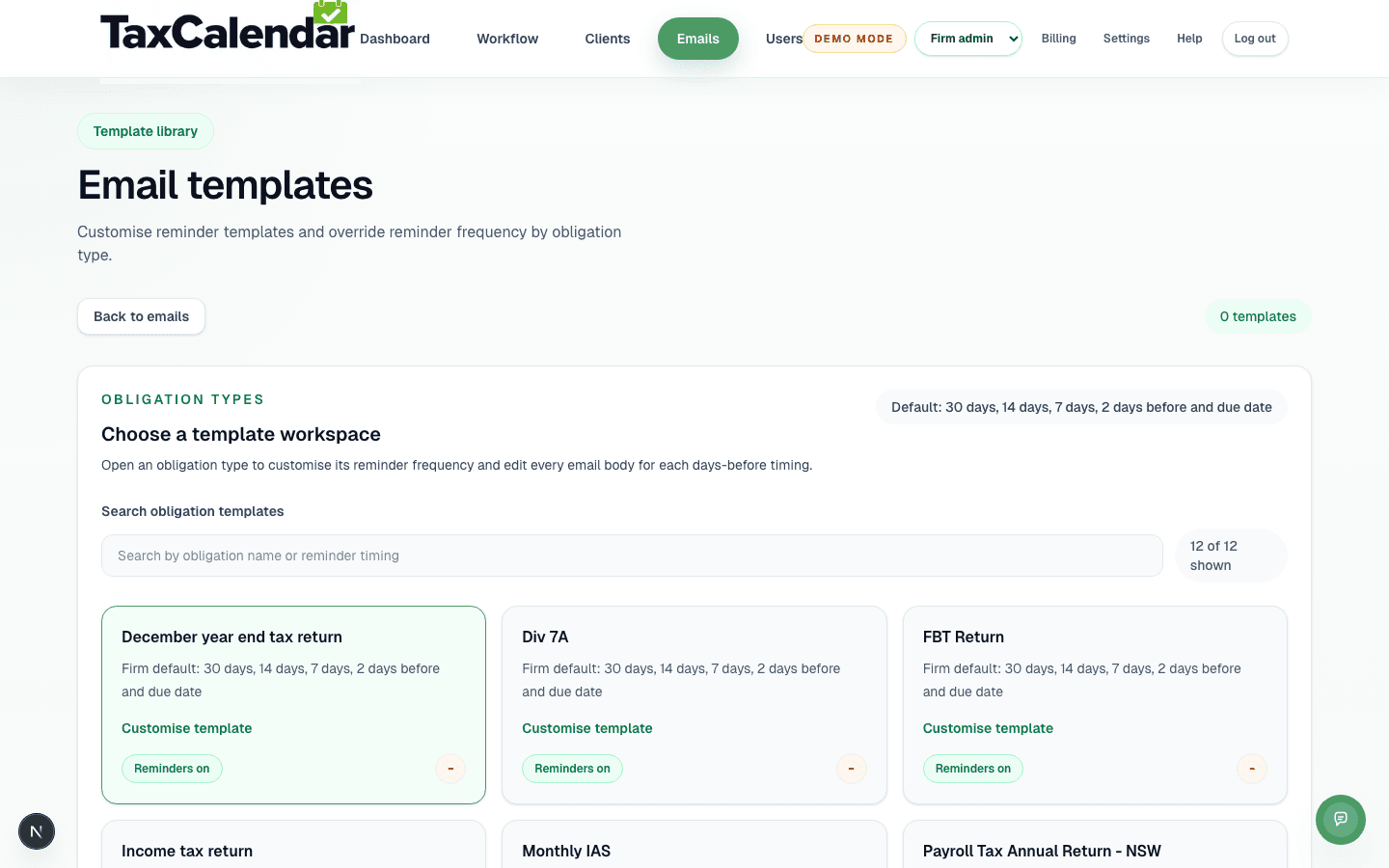
Reminder template library
TaxCalendar's reminder template library, showing the default reminder schedule for each obligation type.
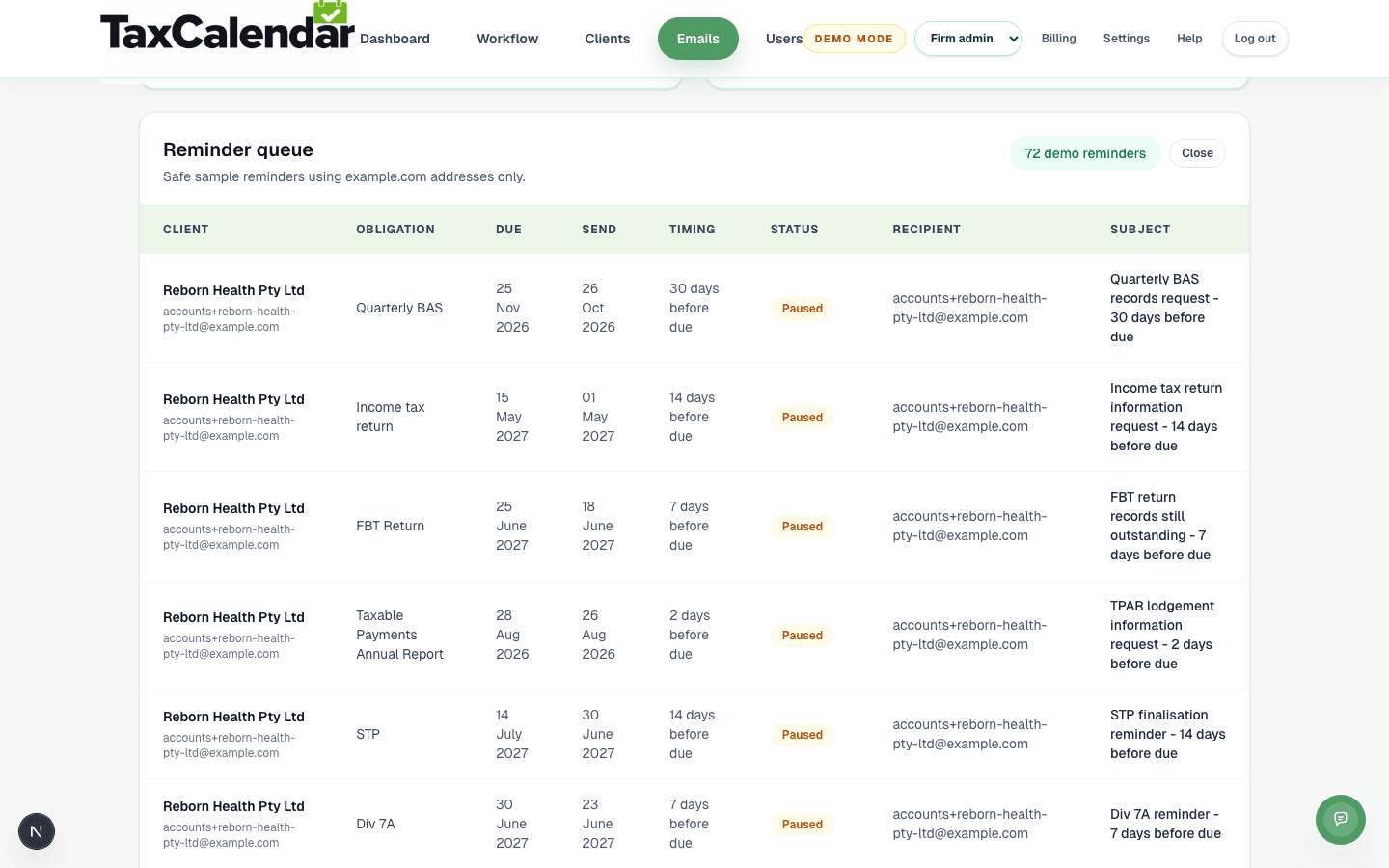
Staged reminder queue
TaxCalendar's reminder queue showing recent, staged reminder activity — timing, status and recipient — across several obligation types.
Better reminder content
A good reminder is specific. A BAS reminder should ask for the records needed for the BAS. An FBT reminder should ask for FBT records. A tax return reminder should ask for year-end documents and approval information. Generic reminders often create generic replies.
Reminder software should let firms tailor templates by obligation type while still using consistent firm-wide timing.
Visibility for managers
Managers need to know whether a client has been reminded before deciding what to chase. Reminder delivery visibility helps prevent duplicate emails and gives the firm a better audit trail of client communication.
Recommended reminder and workflow cadence
A strong compliance process separates client communication from internal work allocation. Tax agents can use client reminders at 30, 14, 7, 2 and 0 days before the due date, while managers use earlier workflow dates to check whether records have arrived, preparation has started and review is on track.
This matters because lodgement deadlines are rarely missed for one dramatic reason. They are missed because small items stay hidden: a missing email address, an unassigned manager, a client who has not approved the work, or an obligation sitting in a spreadsheet that only one person trusts. TaxCalendar is built to make those issues visible before they become deadline pressure.
Where TaxCalendar fits
TaxCalendar helps Australian accounting firms turn compliance dates into a visible workflow. Firms can track clients, obligations, due dates, manager ownership, reminder status and lodged status in one place. That gives public practice teams a practical operating layer for BAS, IAS, ATO lodgement calendars, annual returns, client reminders and recurring practice management routines.
Related questions
What is client reminder software?
It is software that helps firms schedule, send and track reminders to clients for records, approvals and compliance deadlines.
Should reminders be customised by obligation type?
Yes. BAS, FBT, TPAR and tax return reminders usually need different wording and record requests.
Does TaxCalendar include client reminders?
Yes. TaxCalendar includes reminder scheduling, templates and visibility connected to client obligations.